A Private Alternative to Smallpdf (No Upload, No Sign-Up)
A free Smallpdf alternative that runs in your browser. Compress, merge, split, convert, sign, and protect PDFs with no upload, no account, no watermark.
A private alternative to Smallpdf (no upload, no sign-up)
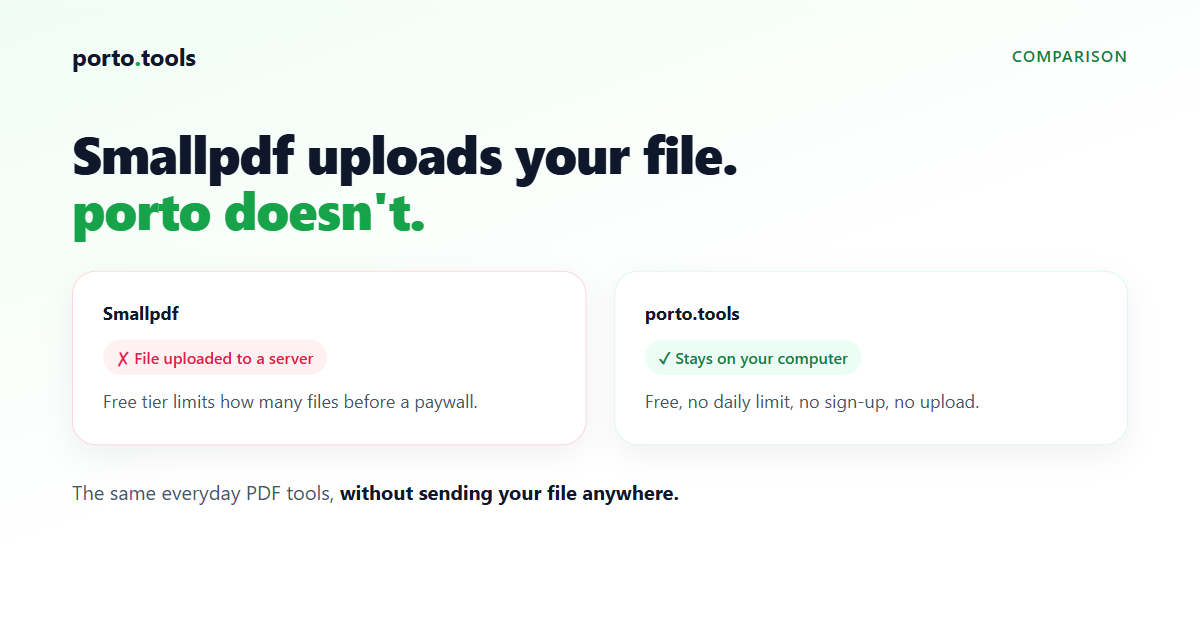
If you use Smallpdf to compress, merge, split, convert, sign, or protect a PDF, porto.tools does those same everyday jobs for free, with no account and no watermark. The difference that matters: Smallpdf uploads your file to its servers to process it. porto runs on your own computer, so the file never leaves your device.
The short version
Smallpdf and porto cover the same common PDF tasks. The everyday tools most people open Smallpdf for, compress, merge, split, convert, sign, and protect, are all on porto, free, with no watermark, no sign-up, and no daily document limit.
The durable difference is where the work happens. Smallpdf sends your file to its servers, converts it there, and sends it back. porto does the whole thing inside your browser, on your machine. There's no upload, so there's no copy of your contract or payroll file sitting on a company's server. If you want to check, turn off your wifi after the page loads and the tools still work.
What porto does (the tools people actually use Smallpdf for)
These all run in your browser, free, no sign-up:
- Compress a PDF so it fits an email. A 40 MB scan can drop under the 25 MB Gmail limit. (compress a PDF)
- Merge PDFs into one file, like a signed contract plus its cover letter. (merge PDFs)
- Split a PDF or pull out the pages you need. (split a PDF)
- Convert between PDF and JPG or PNG, and turn images into a PDF.
- Sign a PDF with a basic self-signature.
- Protect a PDF with a password, or remove a password you already know.
- Plus rotate, reorder, delete, crop, and number pages, and a wider set of image, video, and audio tools. (see all tools)
There's no daily cap on how many you run, and nothing porto produces carries a watermark.
porto vs Smallpdf (free)
The table sticks to what's stable. Smallpdf's exact free-tier limits and pricing change over time, so check their current terms for the latest figures. The part that doesn't change is the one that matters most: Smallpdf converts your file on its servers, so the file is uploaded; porto converts on your own computer, so it isn't.
| porto.tools | Smallpdf (free) | |
|---|---|---|
| Your file uploaded to a server | No, never | Yes |
| Price | Free | Limited free use, then paid (free trial) |
| Sign-up | None | Often prompts for an account |
| Free-tier usage limits | None | Yes (limited tasks before a paywall) |
| Watermark on output | None | Check their current terms |
| Open source | Engine (AGPL-3.0) | No |
| Everyday PDF tools (compress, merge, split, convert JPG, sign, protect) | Yes | Yes |
| PDF to Word, Excel, PowerPoint, and OCR | No (by design) | Yes (OCR on paid plans) |
What porto doesn't do
Being straight about the gaps: porto runs on your own computer, and a few of Smallpdf's features need a server, so porto doesn't offer them.
- Turning a PDF into an editable Word, Excel, or PowerPoint file. Doing this with the fidelity people expect needs server-side processing, which would mean uploading your file. porto doesn't do it.
- OCR, the feature that reads text out of a scanned image. Also not offered.
- Importing from Google Drive or Dropbox. porto works with files already on your device, so there's no cloud import.
If one of those is the specific thing you need, Smallpdf or a desktop program will serve you better. For the everyday compressing, merging, splitting, converting, signing, and protecting that most people open these tools for, porto covers it without the file ever leaving your computer.
Why "it never uploads" matters for work files
For a holiday photo, where your file goes hardly matters. For a contract, a payroll spreadsheet, an HR record, or a client's documents, it matters a lot. Uploading a confidential file to a free online tool means handing it to a company you know little about and trusting a privacy policy you didn't read. Plenty of workplaces block these sites for that reason.
porto sidesteps the question. The file is processed on your machine and never sent anywhere, so it's safe for contracts, financials, and HR records, and there's nothing for IT to block because nothing gets uploaded. You can read more on the privacy page.
Frequently asked questions
- Is there a free alternative to Smallpdf?
- Yes. porto.tools runs the common PDF jobs in your browser for free, with no account, no watermark, and no daily document limit. Compress, merge, split, convert, sign, and protect all work on your own computer.
- Does porto have a daily limit or a watermark?
- No. There's no daily document cap and no watermark on anything porto produces. The only limit is your computer's memory, since the file is processed on your own machine.
- Does porto upload my files?
- No. porto converts files inside your browser, on your computer. The file never goes to a server. You can turn off your wifi after the page loads and the tools still work.
- What can't porto do that Smallpdf can?
- porto doesn't turn a PDF into an editable Word, Excel, or PowerPoint file, it doesn't run OCR on scans, and it doesn't import from Google Drive or Dropbox. Those need a server, which would mean uploading your file.
- Is porto safe for confidential PDFs?
- Yes, because confidential PDFs never leave your computer. There's no upload to intercept and no copy on someone else's server, which is why it suits contracts, financials, and HR records.
Try it yourself
Every porto.tools converter runs entirely in your browser — your files never leave your device.